
Loading ePOE
Loading ePOENew in v0.17.7 · Beta
Drive the whole ePOE overlay from a gamepad. Price check, craft, browse your stash and navigate every panel without reaching for the keyboard — and without your character wandering off while you do.
Layer one is chords and panel navigation, held behind a modifier so the game still sees your inputs. Layer two is exclusive mode, which holds your input back from the game while a panel is open. Turn on as much as you want.
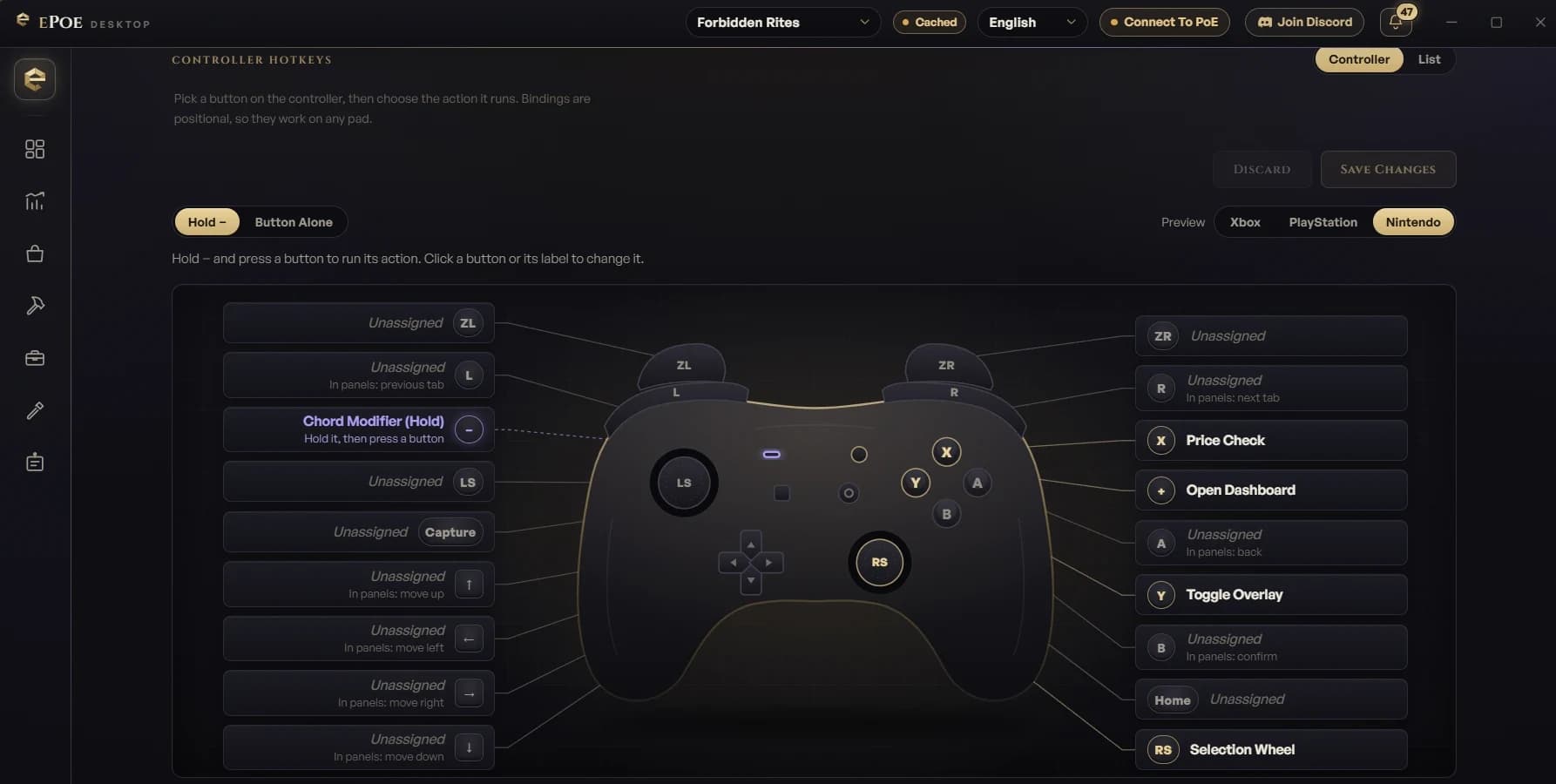
Hold a modifier button (View/Share by default) and press another to fire any ePOE action. Four ship bound; the rest are yours to assign.
Hold the modifier and use the D-pad or left stick to move through the price panel, Selection Wheel, tool windows and the dashboard. South confirms, East goes back, the bumpers switch tabs, the right stick scrolls.
The controller is an addition, never a replacement. Your existing hotkeys and clicks keep working at the same time — mix and match however you play.
A controller diagram like a game's controls screen: click a button, pick its action. Unknown pads get a step-by-step wizard, and settings are remembered per controller model.
While an ePOE panel is open the game receives a controller at rest, so navigating never moves your character — no modifier needed. Close the panel and every input reaches the game one-to-one. It never presses, repeats or remaps anything for you.
Button glyphs are auto-detected per family, with an override. Stick deadzone, navigation speed, a live button tester and Test Rumble are all in the Controller tab.
Work everywhere with no drivers and no setup beyond turning Controller Support on. Just plug in a pad and it appears.
On Windows it installs two free, signed drivers (ViGEmBus and HidHide) from inside the app. On Linux it needs a one-time permission you set up from the Controller tab — no drivers.
Controller support is part of ePOE, the free Path of Exile 2 overlay. No subscription, no premium tier.