ePOE feature guide2 min read
Expedition Remnant in ePOE: A Practical Guide
Prices a Remnant's Runeshape reward list from available market data so you pick the best combination before you commit.


Prices a Remnant's Runeshape reward list from available market data so you pick the best combination before you commit.
Prices a Remnant's runeshape options from available market data and marks the best pick.
Where to start
The Expedition Remnant hotkey opens the Remnant popout and reads the open Runeshape Combinations list. It is on by default; its options are under Overlays → Overlays → Expedition Remnant.
If you prefer a keyboard shortcut, check this feature’s current binding under Overlays → Hotkeys. Bindings can be changed, so use the one shown in your app.
- Expedition Remnant is on by default with its hotkey bound; change the key under Overlays → Hotkeys → Tool windows → Expedition Remnant.
- Open a Remnant's Runeshape Combinations list in game and press the hotkey.
- Read the priced rows; the assistant can auto-capture the pick you actually click so your plan follows the game.
- Turn off Auto-capture my in-game pick (on by default) in its Overlays pane if you would rather choose rows by hand. It only watches your clicks and never sends input to the game.
- Opening it in game: the hotkey works straight away. To also put it on the Feature Bar (pinned over the XP bar) or in the Selection Wheel, switch on Expedition Remnant under Feature Bar → Buttons — it starts off.
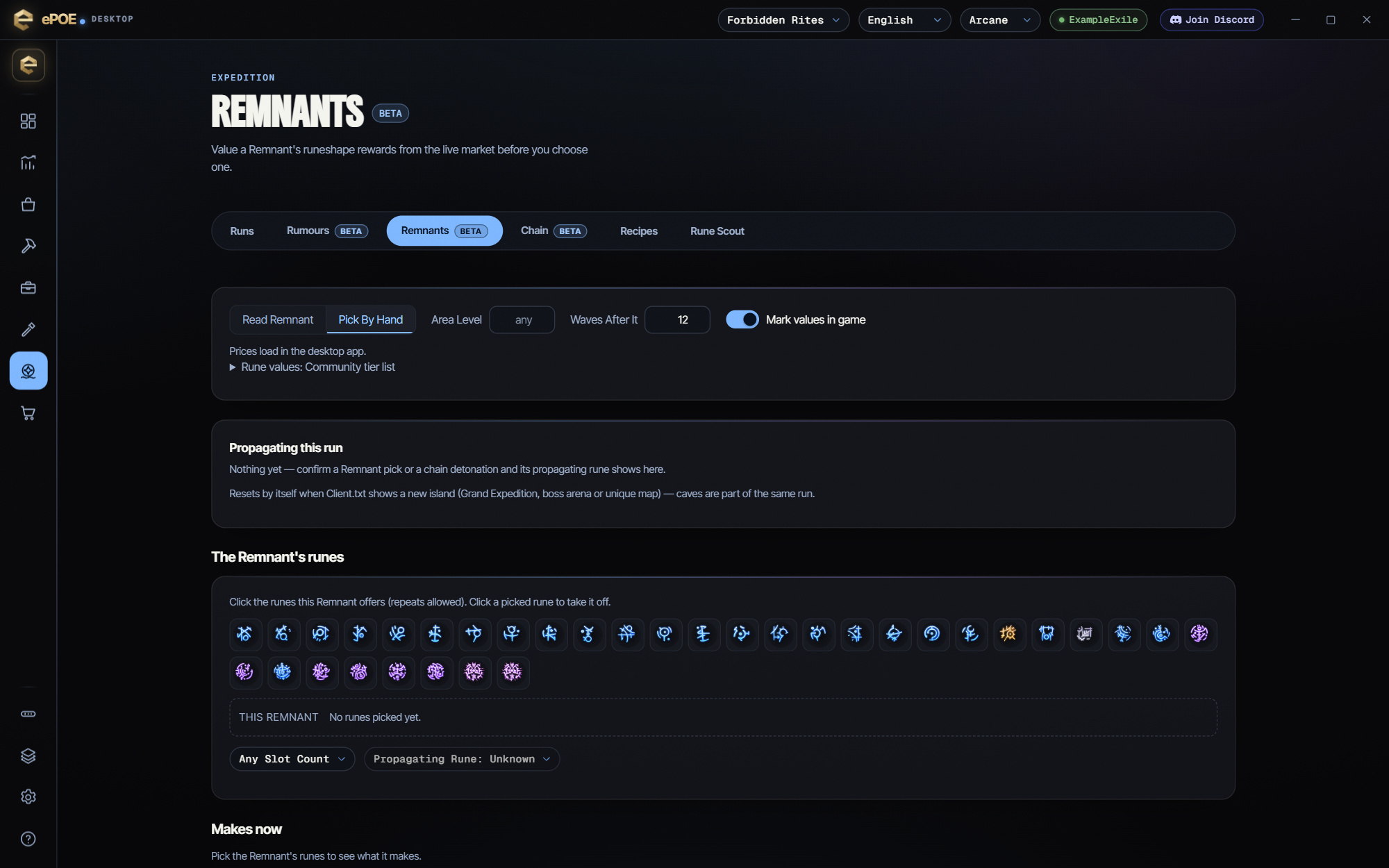
Recording your pick
Press I Took This on the row you took. Its propagating rune goes into Propagating this run, which the Chain planner shares, so later Remnants are valued with it.
Auto-capture My In-game Pick does this for you. It is on by default, on this tab and under Overlays → Overlays → Expedition Remnant. After a scan, it watches your real in-game clicks (read-only) while Path of Exile 2 is in front. When you take a reward, it records that row's rune. It never sends any input to the game. The setting rides Cloud Settings Sync to your other machines.
Propagating this run clears itself when Client.txt shows a new island (a Grand Expedition, a boss arena or a unique map). Caves count as part of the same run. Reset clears it by hand.
The feature in practice
The Remnants tab shows what a Remnant can make and which pick is worth the most. That counts the reward and also the rune it would propagate to every wave after it. You commit with the numbers in front of you.
Try it in your next session
Start with the first action in the walkthrough, check the values and state the app shows, then continue with the settings that suit your character or workflow. Your own configured hotkeys and selected league take priority over an example in a screenshot.
Download ePOE · Read the current changelog · Browse the guides