ePOE feature guide2 Min. Lesezeit
Characters in ePOE: A Practical Guide
View your authorized PoE 2 character roster and equipped gear in a floating widget, with a separate public poe.ninja import option.


Keep your character roster and equipped items close without leaving your session. The Characters widget lists characters on your connected Path of Exile account, then lets you expand a character to inspect its gear.
Where to start
- Open Characters from your enabled launcher or configured hotkey.
- Use Connect if the widget asks you to connect your PoE account. Complete the Path of Exile authorization flow, then return to the widget.
- Select a character to load its equipped items. Select it again to collapse the list.
The connection the widget actually uses
The current Characters widget requests PoE 2 characters through ePOE’s account API and GGG’s OAuth connection. That authorization is distinct from the PoE session used by the desktop trade tools. Pasting a trade session is not a substitute for completing the character connection when the widget requests it.
Inspect a character, not edit its equipment
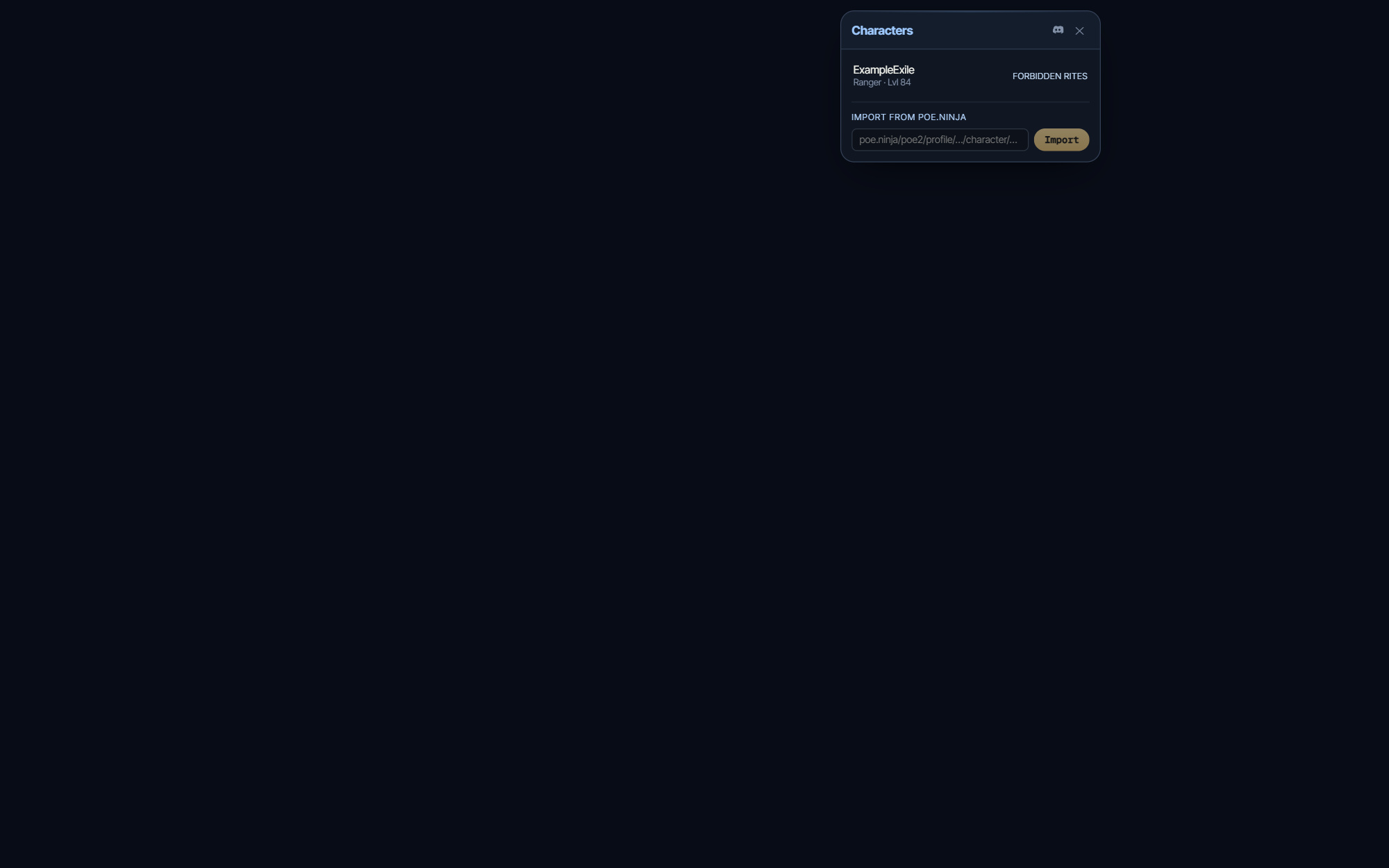
Each roster row identifies a character by name, class, level and league. Expanding it requests the equipped items for that character. This is a viewing workflow; it does not move gear, change a build or alter the game character.
A separate public poe.ninja import field is available for inspecting a public profile. Public-profile import and your authorized character roster are different sources.
If a character does not appear
Check the selected league and the connection message first. Reconnect when authorization is required and retry a failed request after checking connectivity. An unavailable response should not be treated as proof that the account has no characters.
Use the controls and Help information in your installed version if a layout differs. Download ePOE and read the current changelog at epoe.io.