 ePOE feature guide2 min read
The Help page in ePOE: A Practical Guide
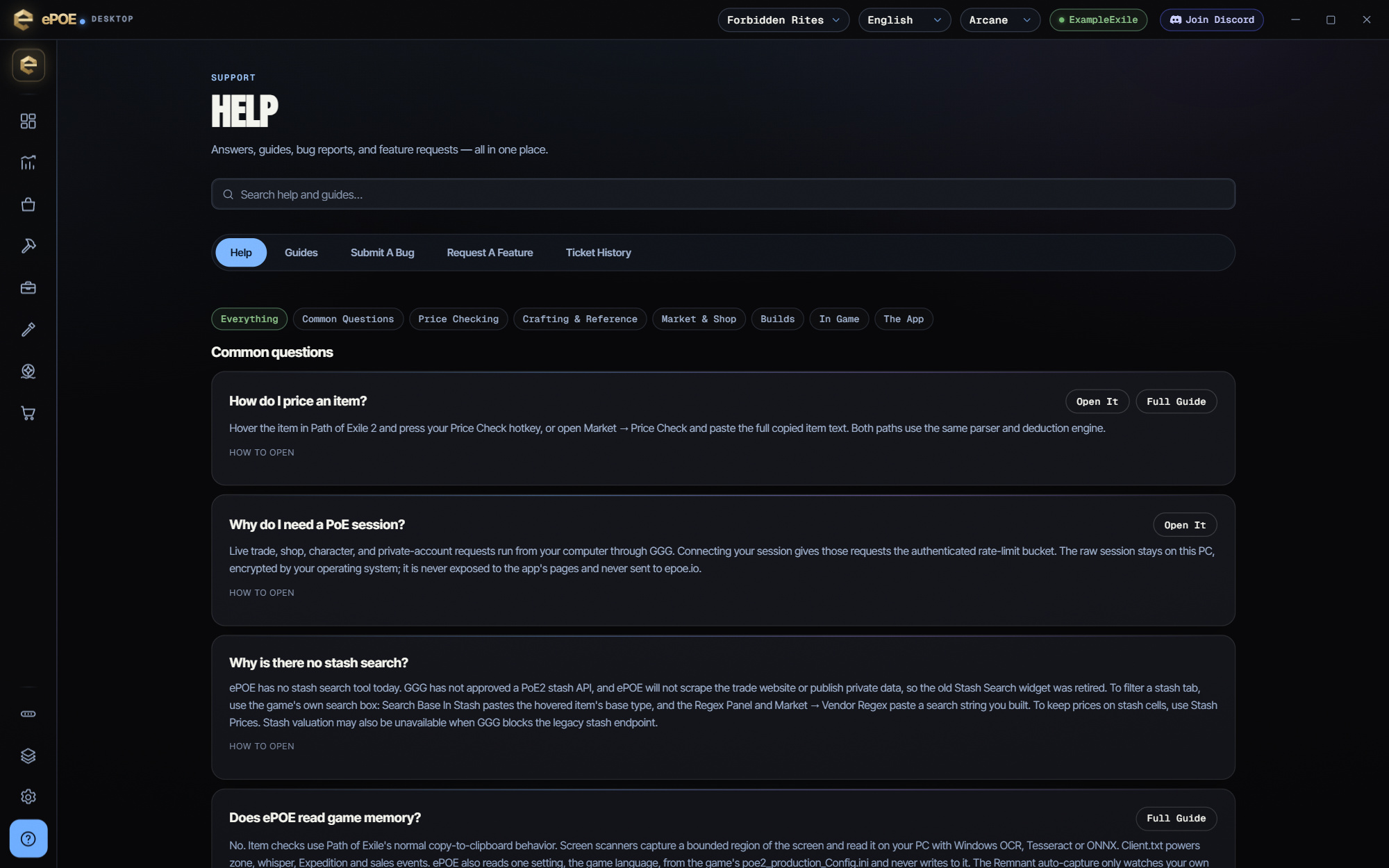
The pinned Help page holds this help center, the guide library, bug reports, feature requests and your ticket history, with one search box for help and guides together.


The pinned Help page holds this help center, the guide library, bug reports, feature requests and your ticket history, with one search box for help and guides together.
Offline guides written for ePOE plus evergreen PoE2 subjects, your own .md guides, a Links hub, and a Help center that shows the hotkey you actually bound.
Where to start
Open Help in ePOE Desktop. If your layout differs, use Help to search for The Help page.
- Open Help from the bottom of the rail and type in Search help and guides… to search every help section and guide at once.
- Help is this help center; Guides is the offline guide library, with a Links tab beside it.
- Submit a Bug takes a Summary, Area, Severity, What happened?, Steps to reproduce, Expected and Actual, plus up to five screenshots. Your app version, OS, league and PoE session status are attached automatically, and you get a reference number back.
- Request a Feature asks What would you like?, How important to you? and The problem it solves, with an optional Proposed solution.
- Ticket History lists your reports with their status and staff replies; a Support ticket replies toast opens the thread directly.
- The How to use this links on the Overlays page open the matching section here.
Try it in your next session
Start with the first action in the walkthrough, check the values and state the app shows, then continue with the settings that suit your character or workflow. Your own configured hotkeys and selected league take priority over an example in a screenshot.
Download ePOE · Read the current changelog · Browse the guides