ePOE feature guide2 min read
Connecting your Path of Exile session in ePOE: A Practical Guide
Understand ePOE sign-in, the local PoE trade session, the separate character OAuth connection and optional session sharing.


Connecting a Path of Exile trade session lets ePOE run supported live trade operations from your own computer. It is separate from signing in to ePOE and from the OAuth connection used by the current Characters widget.
Where to start
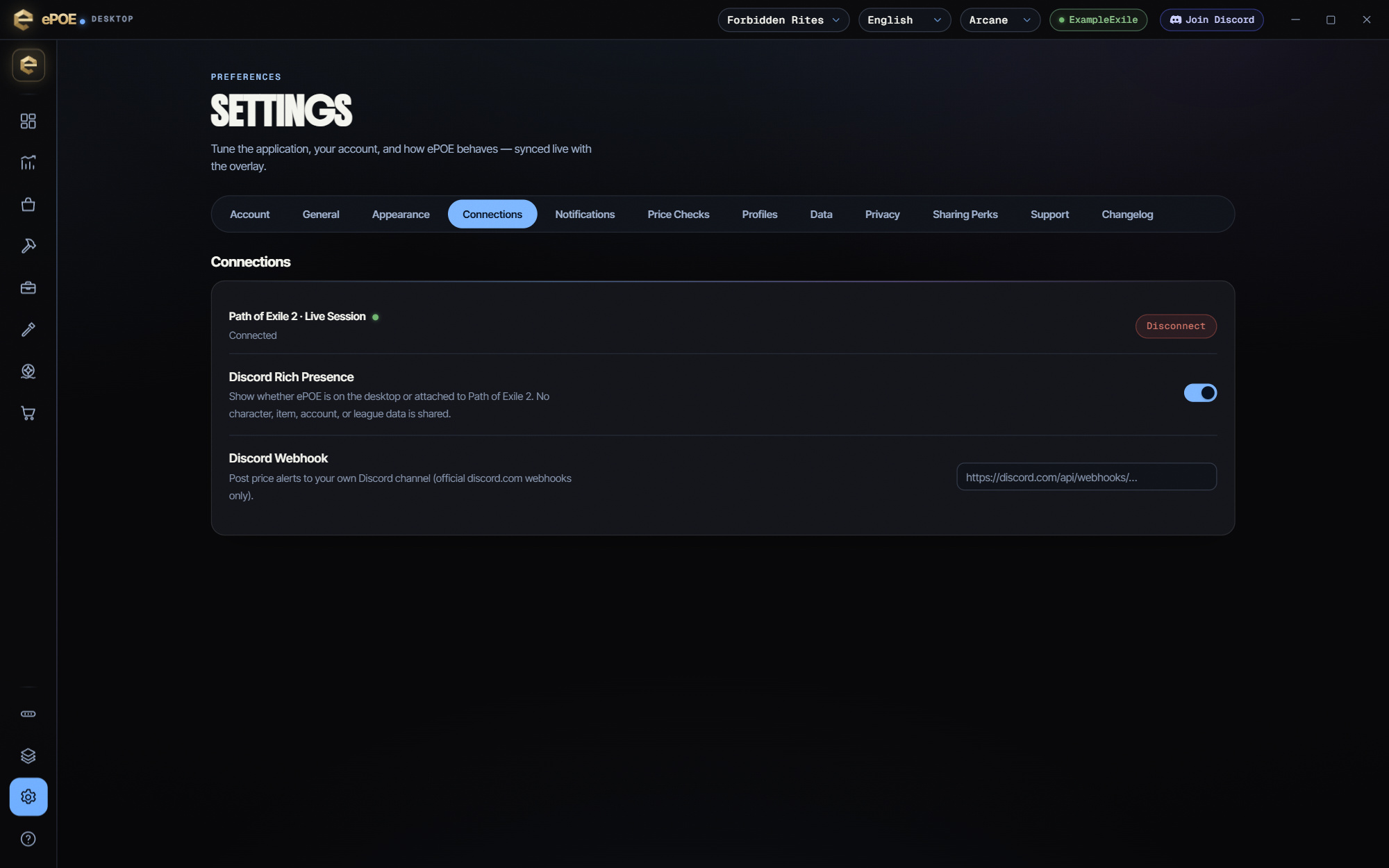
- Open Settings → Connections and use the Path of Exile connection controls.
- Follow the connection flow shown by the app. Keep session credentials private.
- Check the selected league before running a supported live trade search.
Separate the three connections
Your ePOE account signs you in to the product and provides account-backed features. A PoE trade session supplies the desktop’s authenticated trade access. The character roster uses the PoE OAuth connection. When a feature asks for a particular connection, complete that flow rather than assuming another signed-in state covers it.
Local trade requests and optional sharing
The desktop performs live price checks and shop sweeps from your own computer and IP. Its privacy controls describe local encrypted session storage. Device-specific credentials are excluded from Cloud Settings Sync.
The Connections tab also provides an explicit opt-in for sharing the PoE session with epoe.io, which can be revoked. Therefore “the session is never sent to epoe.io” is not an accurate blanket description. Review that setting and its explanation before enabling it.
A connection does not guarantee a successful request
Expired sessions, league support, rate limits and service availability can still affect a request. Follow the feature’s actual error message, and reconnect when the app reports that authentication is no longer valid. Do not repeatedly retry a rate-limited operation.
Use the controls and Help information in your installed version if a layout differs. Download ePOE and read the current changelog at epoe.io.