 ePOE feature guide2 min read
Crafting reference in ePOE: A Practical Guide
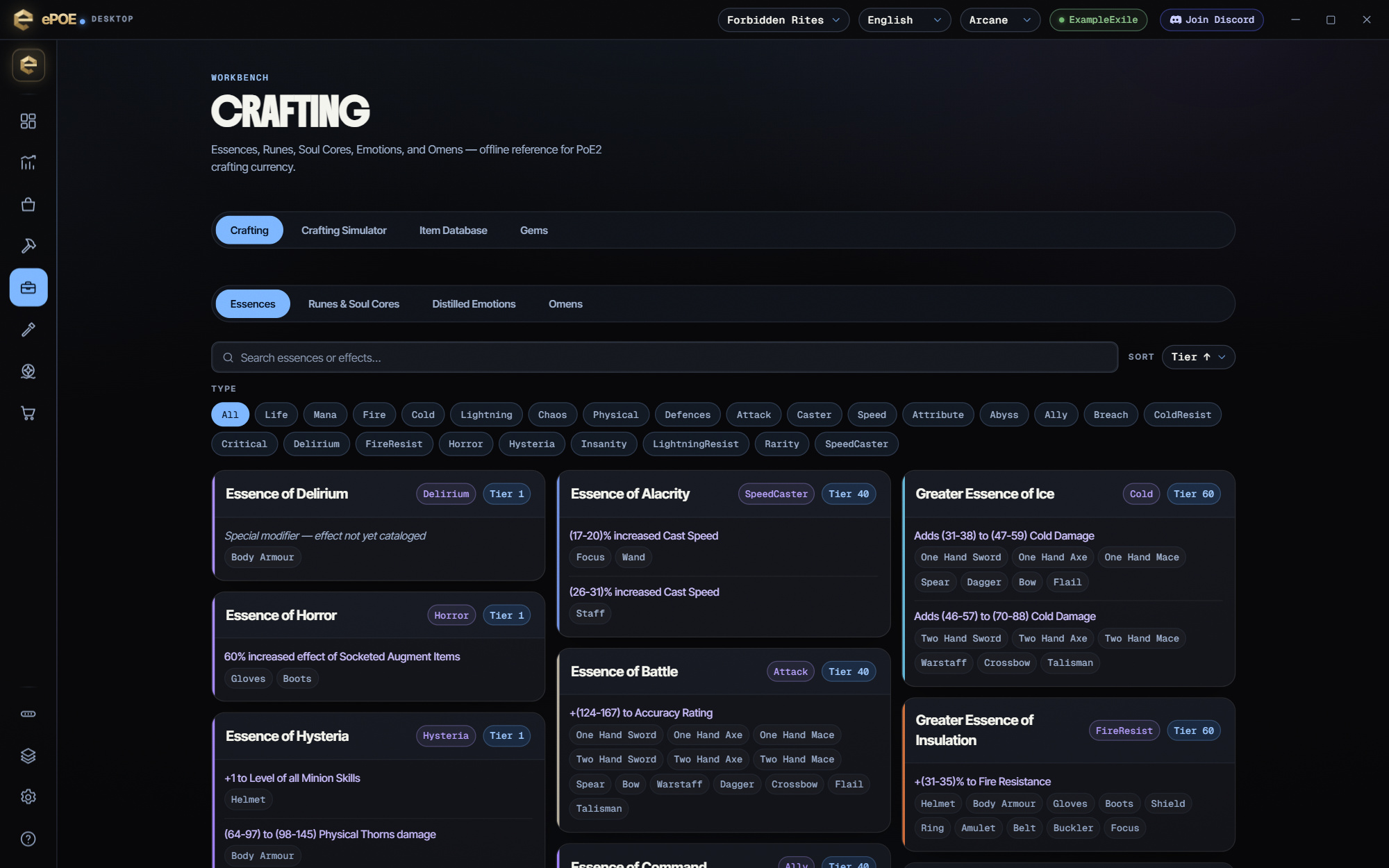
An offline reference for PoE2 crafting currency — Essences, Runes & Soul Cores, Distilled Emotions and Omens — searchable by name and effect.


An offline reference for PoE2 crafting currency — Essences, Runes & Soul Cores, Distilled Emotions and Omens — searchable by name and effect.
Essences, runes & soul cores, omens and distilled emotions — what each does, per slot.
Where to start
The hotkey is called Crafting Bench and is unbound by default; the Feature Bar's Crafting Bench button opens the same page over the game.
If you prefer a keyboard shortcut, check this feature’s current binding under Overlays → Hotkeys. Bindings can be changed, so use the one shown in your app.
- Open Workbench → Crafting, or press the hotkey for a window over the game.
- Pick a tab: Essences, Runes & Soul Cores, Distilled Emotions or Omens.
- Search by name or effect text; Essences also sort by Tier ↑, Tier ↓ or Name.
- Use it to confirm what a currency does before you spend it. It shows no prices: cost a plan in the Crafting Simulator, and price the finished item with Price Check before committing.
Three crafting tools, three jobs
- Crafting Bench (this page): what does this essence, rune or omen do? You search the currency.
- Crafting Assistant (Ctrl+Alt+C over an item): what can I still do to this item? It reads the item you're hovering and tells you which currency would work on it.
- Crafting Simulator: what happens if I do it forty times? It applies imaginary currency to a real item in a sandbox.
A typical craft uses all three. Look up the essence here, check it applies with the Assistant, then practice the sequence in the Simulator before you spend real currency.
Using it well
- Search the effect you want, not the currency's name. Type "life" or "cold resistance" on the Essences or Runes tab and you get every currency that gives it.
- Check the slot badges. An essence that grants what you want on a helmet may do something else, or nothing, on a ring. The badges under each effect are the answer.
- Read an omen before you hold it. An omen is spent by the next matching currency you use, whether or not that was the craft you meant it for.
Try it in your next session
Start with the first action in the walkthrough, check the values and state the app shows, then continue with the settings that suit your character or workflow. Your own configured hotkeys and selected league take priority over an example in a screenshot.
Download ePOE · Read the current changelog · Browse the guides


