 ePOE feature guide3 min read
Deduce price in ePOE: A Practical Guide
Runs a short series of searches, relaxing the least valuable mods first, so an item with too many affixes still gets a price.


Runs a short series of searches, relaxing the least valuable mods first, so an item with too many affixes still gets a price.
Where to start
The Deduce button on the price panel, once a check has run.
- Price-check the item first so its mods are parsed.
- Press Deduce. ePOE relaxes constraints step by step and reports the results at each rung.
- Compare the ladder’s samples, not just one number. A gap can suggest that a combination matters, but different item rolls and samples also affect it.
- Deduce costs several trade searches, so run it on items you care about rather than every drop.
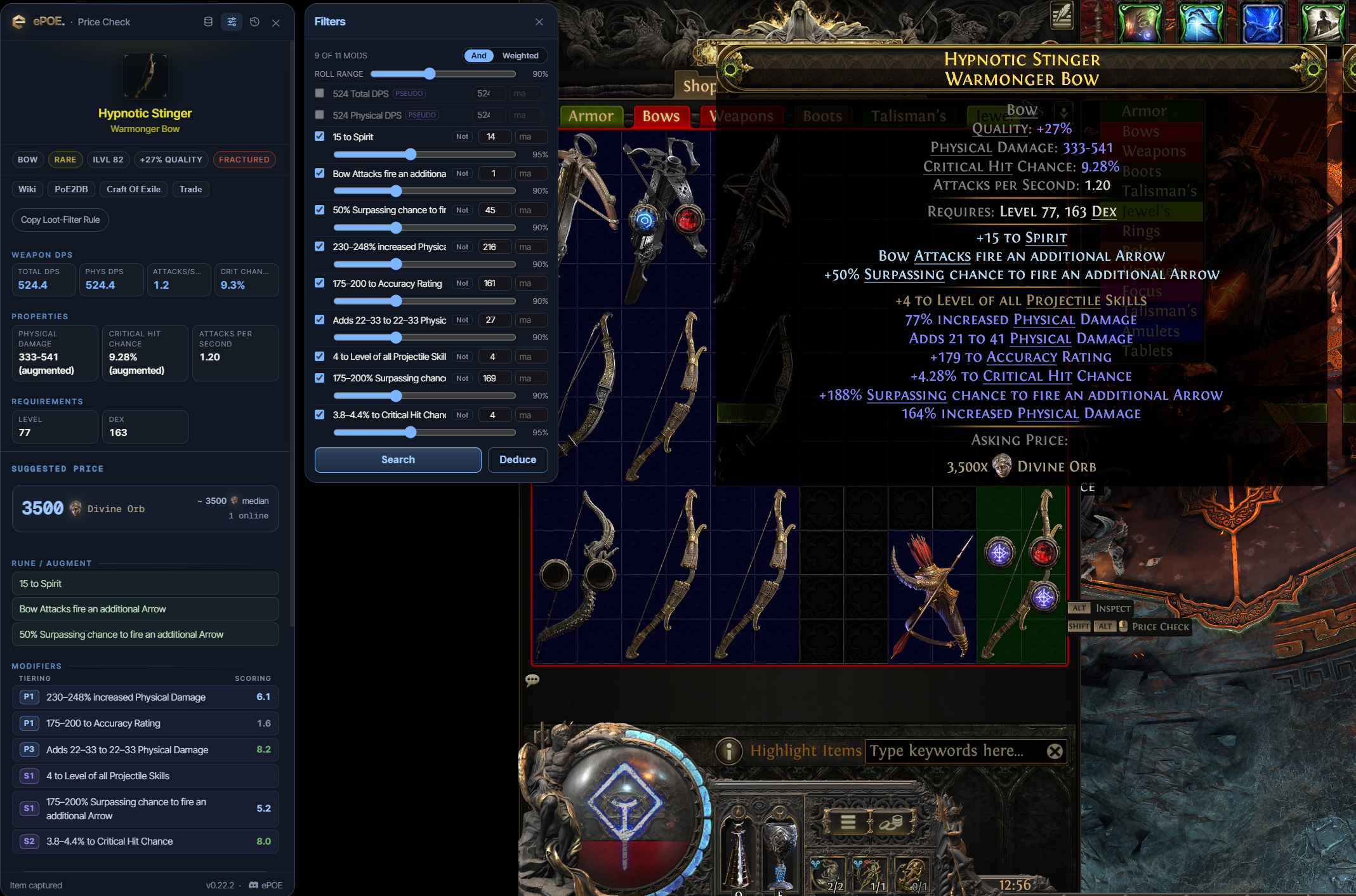
Deduce: when the item has too many mods
An exact-match search for a rare item with several valuable affixes can return no matches. The instinct is to start deleting filters by hand until something appears. Deduce does that methodically.
It runs a short series of searches, relaxing the least valuable constraints first, and reports what it found at each step. You end up with a ladder instead of a single number:
- Illustrative example, not a live valuation: "With all six mods: 0 results."
- "Dropping the two lowest-weight mods: 3 results, 12–18 divine."
- "Core three mods only: 60 results, median 2 divine."
The ladder helps you compare asking prices as constraints change. A gap can suggest that a particular combination matters to buyers, but different samples and item rolls also affect it. It does not establish a guaranteed premium or sale price.
Deduce costs several trade searches, so it is rate-limited by the same GGG bucket as a normal check. Run it on the item you care about, not on every drop.
How the suggested price is worked out
The trade site returns matching listings cheapest first. Pricing from the cheapest few sounds safe, but on a loosened search those are simply the worst items that still matched — so a relaxed search used to price your item low. ePOE now works the number out like this:
- Spread sampling. Instead of the cheapest end, ePOE samples listings spread across the whole result, so the estimate is less dependent on the cheapest available end. It is still bounded by the returned sample.
- Narrow first. The trade site only hands back the cheapest hundred listings. When a search matches more than that, ePOE raises the mod minimums back toward your own rolls before sampling, so the sample is made of genuinely comparable items.
- A ceiling from better listings. One extra search looks for listings that are at least as good as yours on every mod it priced. The cheapest of those is the ceiling: when available, it caps the suggestion within that search’s selected criteria. Inspect other item properties before treating a candidate as equivalent.
- One seller can't set the price. At most two listings from any one seller are counted, so a single wall of copies can't drag the number.
- Your own listings are left out. When ePOE can identify your PoE account, it excludes that account’s listings from the deduction sample.
The lines under a deduced price show all of this: the ceiling, how many listings were sampled across how many matches, whether the search was narrowed first, and how many of your own or repeat-seller listings were left out. Priced on, Dropped and Ignored say which mods the price was based on — socketed runes and filler lines such as stun threshold are set aside rather than searched.
Try it in your next session
Start with the first action in the walkthrough, check the values and state the app shows, then continue with the settings that suit your character or workflow. Your own configured hotkeys and selected league take priority over an example in a screenshot.
Download ePOE · Read the current changelog · Browse the guides


