 ePOE feature guide2 min read
Gems: Find the Skill and Support You Need
The bundled skill and support gems with its stats, requirements and progression.


The bundled skill and support gems with its stats, requirements and progression.
The bundled skill and support gems with stats, tags, quality and the full level-progression table.
Where to start
Open Workbench → Gems in ePOE Desktop. If your layout differs, use Help to search for Gems.
If you prefer a keyboard shortcut, check this feature’s current binding under Overlays → Hotkeys. Bindings can be changed, so use the one shown in your app.
- Open Workbench → Gems, or press the hotkey.
- Filter by attribute or search by name.
- Use it to decide which supports your main skill actually wants.
Gem details
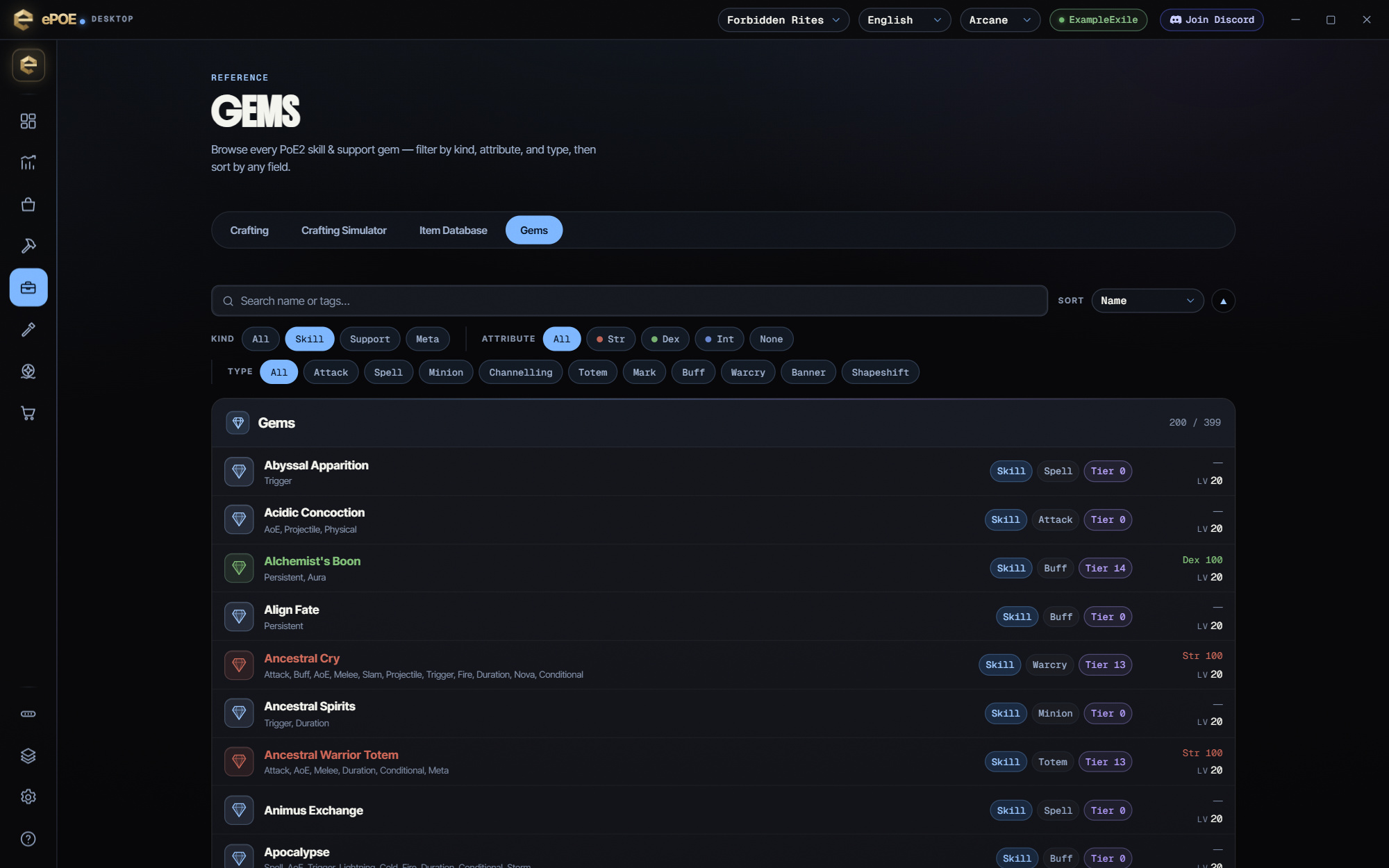
Each row shows the gem's attribute color, tags, kind, type, tier, attribute requirements and max level. Click a row to open the detail panel beside the list:
- the skill's description, cast time and max level
- its full tag list
- what each 1% of quality adds
- the Level Progression table: required level per gem level, plus mana cost and critical chance where the gem has them
The ✕ closes the panel.
Using it well
- Check requirements before you buy the gem. The level table shows at a glance whether that level-20 gem needs more than your character has.
- Filter supports by your skill's tags. Pick Support, then search for your skill's main tag, such as "projectile" or "minion". That's a fast shortlist to test.
- Sort by Tier with an attribute filter to see what your stat line unlocks as you level.
Try it in your next session
Start with the first action in the walkthrough, check the values and state the app shows, then continue with the settings that suit your character or workflow. Your own configured hotkeys and selected league take priority over an example in a screenshot.
Download ePOE · Read the current changelog · Browse the guides


