 ePOE feature guide3 min read
Market Value vs Live Exchange in ePOE: A Practical Guide
Currency, Omens, essences, runes, fragments, gems and Verisium crests get two prices: the Market Value card is the league's going rate from ePOE's market cache, and Live Exchange is what the in-game exchange is offering right now.


Currency, Omens, essences, runes, fragments, gems and Verisium crests get two prices: the Market Value card is the league's going rate from ePOE's market cache, and Live Exchange is what the in-game exchange is offering right now.
Hover a currency in your stash for its Divine, Exalted and Chaos value, 24-hour and 7-day change, volume and a sparkline.
Where to start
Both appear on the price panel whenever the checked item is traded in bulk.
If you prefer a keyboard shortcut, check this feature’s current binding under Overlays → Hotkeys. Bindings can be changed, so use the one shown in your app.
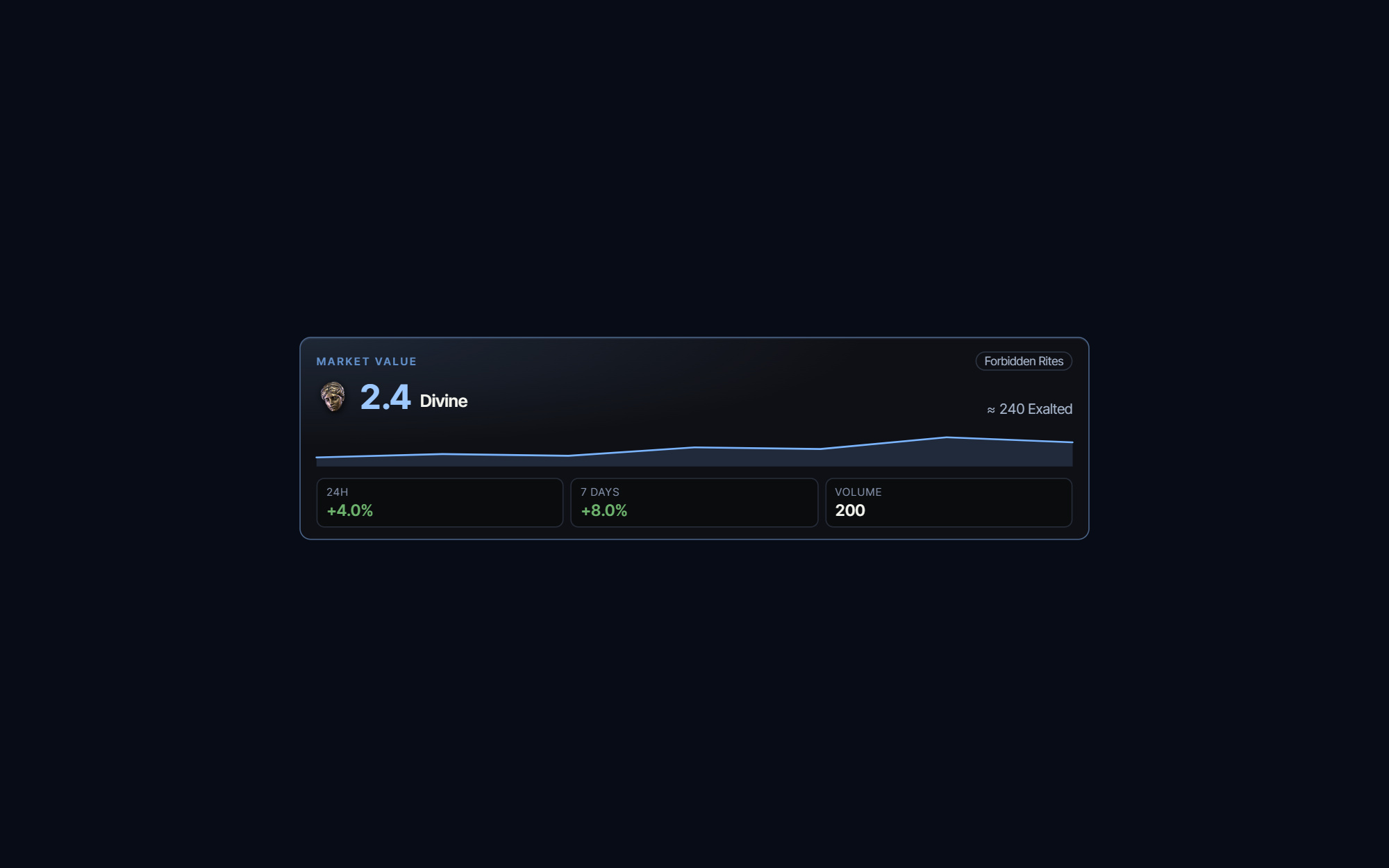
- Read the Market Value card first: the rate for the league selected in ePOE, its 24h and 7 Days change, a price chart and the trade volume.
- Read Live Exchange under it: the typical online offer right now against Divine and Exalted Orbs — not the single cheapest one, which is often a few bait units.
- The "from" figure beside it is that cheapest offer, with how many offers the typical rate was taken from.
- When Live Exchange says "Thin market — not a reliable price", the live rate sits far from the market value because few people offer that pair; compare both sources and inspect available stock.
- Check the Related list underneath for the item's siblings and their prices — the other tiers of the same essence, or other Omens of the same family.
- Press Refresh exchange rate to ask the exchange again; the Market Value card refreshes on its own.
Currency and bulk prices: Market Value vs Live Exchange
Currency and the other things traded in bulk — Omens, essences, runes, fragments, gems, Verisium crests and the like — skip the item search. The panel shows two prices instead, and they answer different questions.
Market Value is the card at the top: the going rate for the league selected in ePOE, from ePOE's market cache. It shows the price in Divine or Exalted with its value in the other, the 24h and 7 Days change, a small price chart and the trade Volume. It loads on its own and never delays the live section. Read it as "what is this worth in this league".
Live Exchange sits under it: what the in-game currency exchange is offering right now, against Divine and Exalted Orbs, from your own machine.
- The big figure is the typical online offer right now — taken across the cheapest offers, weighted by stock. It is not the single cheapest offer, which is usually a handful of bait units nobody can actually buy in quantity.
- from … is that cheapest offer, next to how many offers the typical figure came from. The gap between the two tells you how deep the cheap end is.
- Thin market — not a reliable price appears when the live rate sits far from the Market Value because few people are offering that pair. Compare both sources and available stock before valuing the item.
- Refresh exchange rate asks the exchange again.
The market strip
For uniques, the panel header carries a small Market strip: the aggregate price from ePOE's market cache, its day-over-day change and a 7-day sparkline. It loads separately from the live search and never delays it. Rares and magic items have no market row, so the strip simply doesn't appear.
Use it as a sanity check. A live result far below the market strip needs investigation: rolls, sample size, cached data and availability can all explain the difference.
Try it in your next session
Start with the first action in the walkthrough, check the values and state the app shows, then continue with the settings that suit your character or workflow. Your own configured hotkeys and selected league take priority over an example in a screenshot.
Download ePOE · Read the current changelog · Browse the guides


