 ePOE feature guide3 min read
Recent Price Checks in ePOE: A Practical Guide
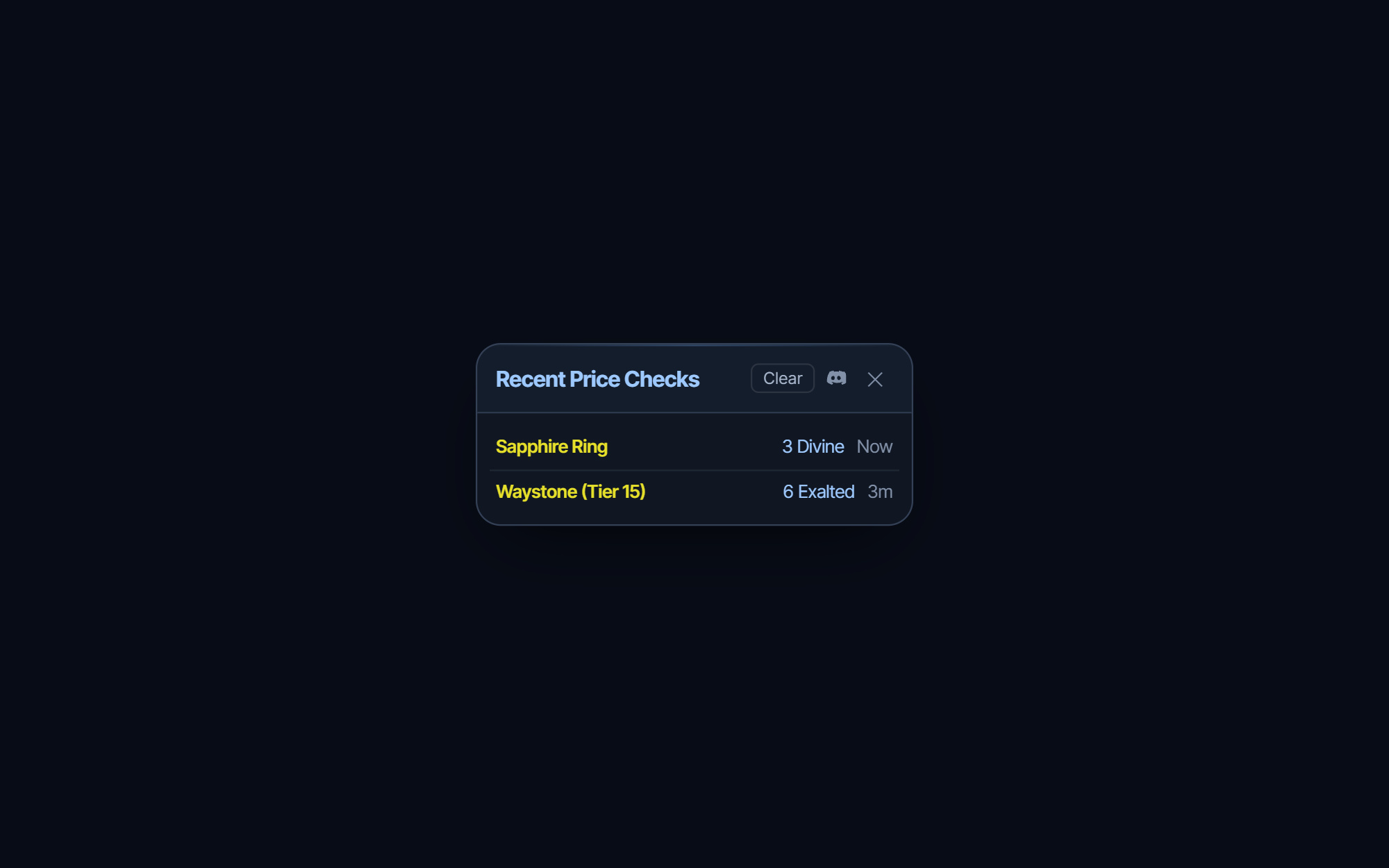
A compact widget listing your recent checks — item, price and how long ago — with a one-click link back to each search on the trade site.


A compact widget listing your recent checks — item, price and how long ago — with a one-click link back to each search on the trade site.
Reopen recent price checks, look up items, and see your characters — all in-panel, from the feature bar or keys you bind.
Where to start
Unbound by default; the Feature Bar's Recent Price Checks button opens it too. It has its own switch under Overlays → Overlays.
If you prefer a keyboard shortcut, check this feature’s current binding under Overlays → Hotkeys. Bindings can be changed, so use the one shown in your app.
- Press the hotkey, or the Feature Bar button, to toggle the widget on the overlay.
- Read each row: the item name, the price it was recorded at and its age.
- Click a row to open that search on the trade site in your browser; a row without a saved link says No trade link saved.
- Press Clear in the header to empty the list.
The four widgets
Recent Price Checks lists your latest checks: item name, the price ePOE recorded, and how long ago. Click a row to reopen that search on the trade site — cheaper than re-checking, and it does not touch the rate limit. Clear empties the list.
Characters lists your Path of Exile 2 characters — name, class, level, league. Click one to see its equipped items. It needs your pathofexile.com session; if it is not connected, the widget offers Connect PoE Account (the same connection as Settings → Connections → Live Session). Import from poe.ninja takes a poe.ninja character link (`poe.ninja/poe2/profile/…/character/…`) and loads that character instead.
Stopwatch is a plain Start / Stop / Reset timer, shown as minutes and seconds (hours once it passes one). Use it for timing one thing, like a map or a boss attempt.
Notepad is a text box that saves automatically as you type. The right place for the price you agreed or the whisper you are about to send.
Each widget has its own switch under Overlays → Overlays. Turn off the ones you never use and they disappear from the bar and wheel as well.
The feature in practice
Besides the price panel, ePOE draws a handful of small floating widgets over the game. Each one opens from the Feature Bar, the Selection Wheel, or a hotkey. The widget hotkeys ship unbound — give the ones you use a key under Overlays → Hotkeys. Drag any widget by its title bar; it remembers where you put it.
Try it in your next session
Start with the first action in the walkthrough, check the values and state the app shows, then continue with the settings that suit your character or workflow. Your own configured hotkeys and selected league take priority over an example in a screenshot.
Download ePOE · Read the current changelog · Browse the guides


