 ePOE feature guide4 min read
Regex panel & quick slots in ePOE: A Practical Guide
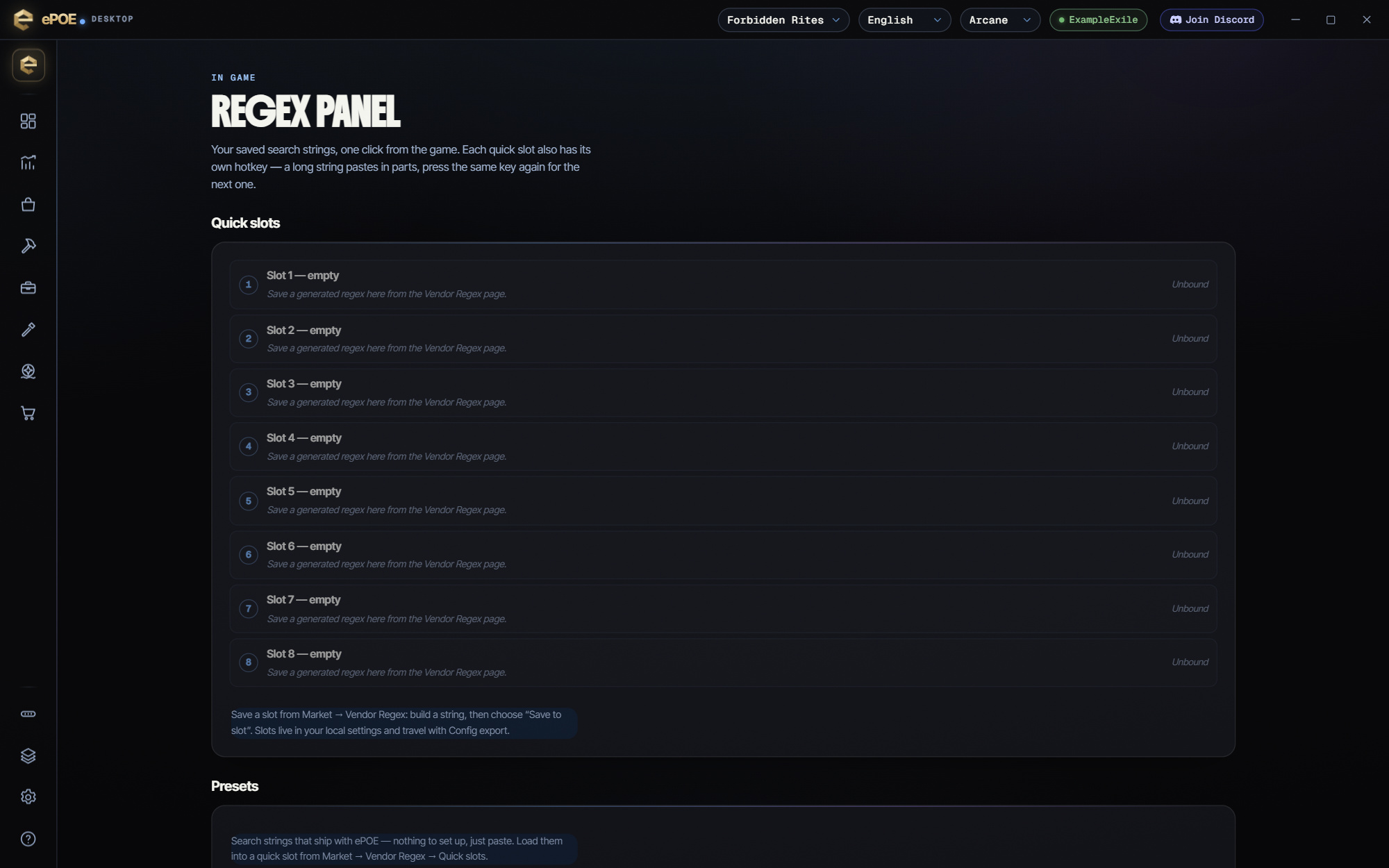
The in-game Regex Panel: your eight quick slots, the presets that ship with ePOE and your epoe.io Vendor Regex profiles, each pasted straight into the game's stash or vendor search box.


The in-game Regex Panel: your eight quick slots, the presets that ship with ePOE and your epoe.io Vendor Regex profiles, each pasted straight into the game's stash or vendor search box.
Paste a saved search string straight into the game's stash or vendor search with a key you bind to each slot. Anything past 250 characters pastes in chunks, and bundled preset packs fill the slots for you.
Where to start
Unbound by default; the Feature Bar's Regex Panel button opens it too. Turning this overlay off under Overlays → Overlays also disables all eight slot hotkeys.
If you prefer a keyboard shortcut, check this feature’s current binding under Overlays → Hotkeys. Bindings can be changed, so use the one shown in your app.
- Fill the slots in Market → Vendor Regex: build a string and press Save to slot, or load a Preset pack. The panel itself only pastes — an empty slot says to save one from Vendor Regex.
- Bind Regex Quick Slot 1 to 8 under Overlays → Hotkeys → Stash & regex; they are unbound by default.
- Open the stash or vendor window, then press a slot's hotkey, or click a slot, preset or profile in the panel. ePOE sends Ctrl+F, Ctrl+A, Ctrl+V and never presses Enter.
- A string longer than the game's 250-character box is pasted in parts: press the SAME hotkey again for the next part, and a banner shows what is left.
- Account profiles lists what you saved in the Vendor Regex tool on epoe.io; a profile that saved only builder settings has to be opened in Vendor Regex to generate its string.
- Your slots are part of your settings: they follow you to another machine through Cloud Settings Sync and travel with config export and import.
Pasting into the game
The paste does exactly three things: `Ctrl+F` to focus the search box, `Ctrl+A` to select what is there, `Ctrl+V` to replace it.
It deliberately never presses Enter. That is not an oversight. A search box that submits on its own is one step from automation, and the line ePOE holds is that the tool prepares input and you commit it.
If a paste seems not to land, the usual cause is that the game did not have focus, or a stash or vendor window was not open. Click into the game first.
Quick slots and preset packs
Save To Slot puts the current string into one of eight Regex quick slots. Each slot has its own hotkey, Regex Quick Slot 1 to Regex Quick Slot 8, all unbound by default under Overlays → Hotkeys → Stash & regex. Press a slot's key in game and ePOE pastes its string into the open stash or vendor search. A string over the paste limit goes in parts: press the same key again for the next part. The in-game Regex Panel (on the Feature Bar by default) lists the same slots one click from the game search.
Name slots by what they decide, not what they contain: "waystones worth running", "relics to keep". Names are all you will read once you have a few.
The Quick slots card also holds the Preset packs: search strings that ship with ePOE, built by the same generators as the modes. They include Campaign, General, Mercenary Campaign, Sorceress Campaign, Ritual Tablets and Tutorial. Load Pack fills slots 1 onward with a whole pack. Load sends one preset to the slot you choose. Either one asks before it replaces a slot that already holds a string. Treat the presets as starting points to edit, not as finished answers.
Your slots are stored in your ePOE settings, so they travel with Settings → Config export / import and follow you to your other machines with Cloud Settings Sync. The desktop tool has no named profiles of its own.
The 250-character limit
The game's search box takes 250 characters. Past that, the page says "Split into N searches — paste them one after another" and gives you each part. Two consequences:
- Be specific, not exhaustive. A regex matching thirty mods is worse than one matching the five you actually care about, because it matches almost everything.
- Filter for the decision you are making. "Which of these do I run?" and "which of these do I sell?" are different strings. Keep both in quick slots rather than trying to build one that does both.
Try it in your next session
Start with the first action in the walkthrough, check the values and state the app shows, then continue with the settings that suit your character or workflow. Your own configured hotkeys and selected league take priority over an example in a screenshot.
Download ePOE · Read the current changelog · Browse the guides


