 ePOE feature guide3 min read
Ritual Loot scanner in ePOE: A Practical Guide
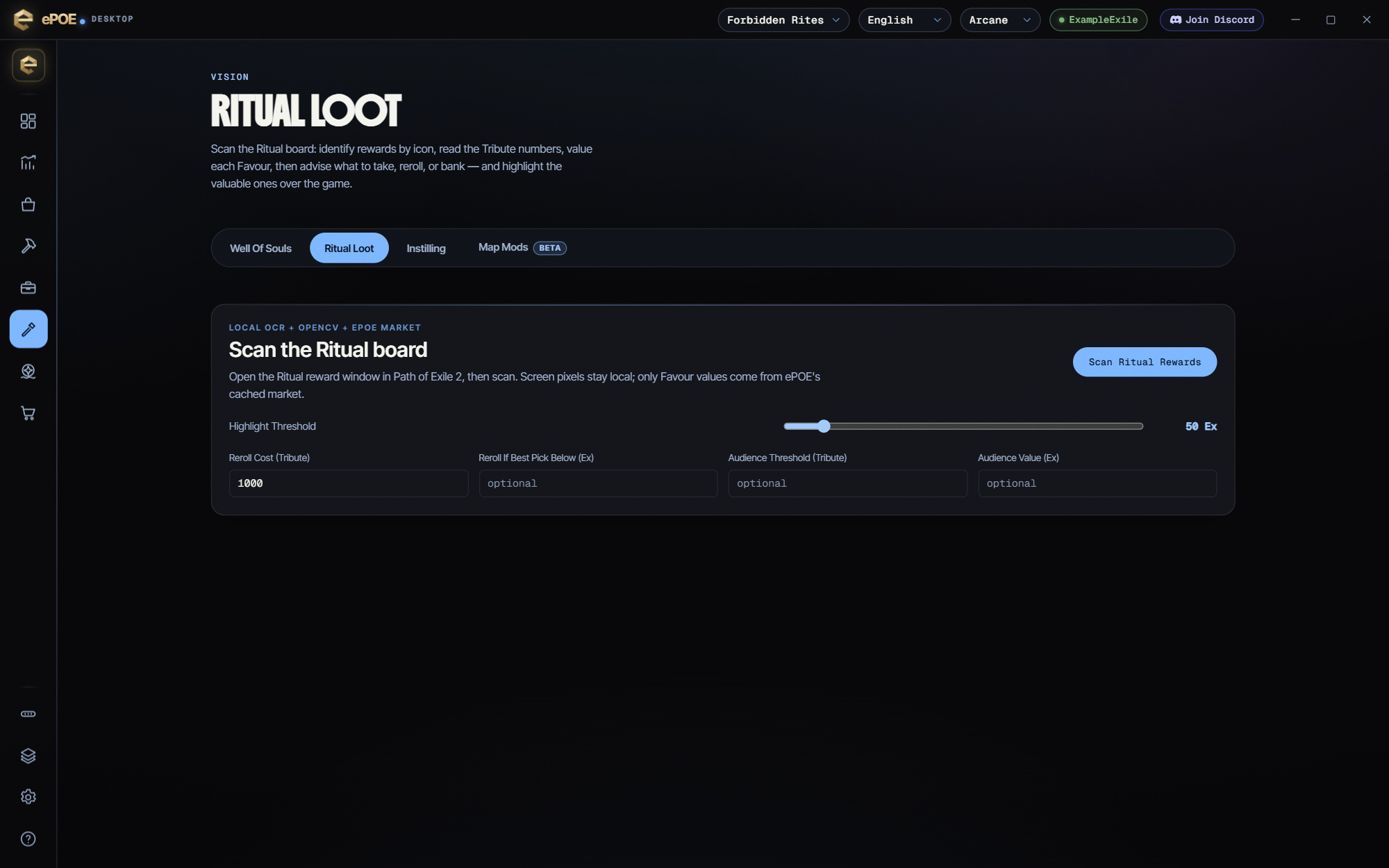
One scanner for the whole Ritual board — it replaces the separate Forbidden Rites advisor. A scan finds the board on screen at any resolution, names every reward from its artwork, prices it from the market and highlights the valuable ones over the game: gold when a reward is worth a Divine Orb or mo


One scanner for the whole Ritual board — it replaces the separate Forbidden Rites advisor. A scan finds the board on screen at any resolution, names every reward from its artwork, prices it from the market and highlights the valuable ones over the game: gold when a reward is worth a Divine Orb or more, blue otherwise.
One scan finds the reward board at any resolution, ultrawide and 4:3 included, separates each reward by its frame, names it by its artwork (with a dedicated Omen matcher), prices it and highlights it in game: gold at a Divine or more, blue otherwise. Uniques with no market price are still recognized. It also reads your Tribute and advises take, reroll or bank for the Audience. Forbidden Rites now lives here.
Where to start
The hotkey opens Scanners → Ritual Loot in the app; the scan itself is the Scan Ritual rewards button.
If you prefer a keyboard shortcut, check this feature’s current binding under Overlays → Hotkeys. Bindings can be changed, so use the one shown in your app.
- Open the Ritual reward window in game so the whole board is visible and nothing is drawn over it.
- Press your Ritual Loot hotkey (Ctrl+Alt+R by default) to open Scanners → Ritual Loot, then press Scan Ritual rewards. The board is located automatically, on ultrawide and 4:3 or 5:4 screens too, and boards taller than ten rows are read in full.
- Read the highlights in game for your Scan Highlight Duration (Settings → Appearance, 8 seconds by default) — gold for a Divine Orb or more, blue for anything else above your Highlight threshold.
- Treat "Possible: …" and the "+N cell(s) not confidently recognized" line as uncertain: those rewards are never highlighted, so hover them in game to check. A greyed board still scans, but the page says its matches are approximate.
- Tribute costs only show in game when you hover a reward, so a scan usually cannot read them and take / reroll advice is then unavailable; fill in Tribute available, Reroll cost, Reroll if best pick below, Audience threshold and Audience value to sharpen the advice when it is.
- If a scan misreads the board, press Send This Failed Read (with Settings → Privacy → Send failed reads on), or attach the newest capture from %APPDATA%\ePoe Overlay\ritual-captures to your bug report — supported diagnostic captures may be saved locally.
Gold and blue highlights
- Gold — the reward is worth a Divine Orb or more at the current Divine rate.
- Blue — worth less than a Divine, but at or above your Highlight threshold (50 ex unless you change it).
Rewards below the threshold, rewards with no market price, and anything the scanner is unsure about are never highlighted.
How the board is read
The board is located automatically at any resolution and aspect ratio — 16:9, ultrawide, and 4:3 or 5:4 screens alike — so there is no region to calibrate. Each reward is then found by its frame on the board and matched on its artwork with the background removed, with a dedicated matcher for Omens. The catalog behind the match holds every unique, Omen and Augment, including the ones the market has no price for, so an unlisted reward is still named instead of guessed.
Recognition runs locally. A separate Send This Failed Read action can upload a cropped capture after its opt-in, preview and confirmation. Prices come from ePOE’s cached league market.
Try it in your next session
Start with the first action in the walkthrough, check the values and state the app shows, then continue with the settings that suit your character or workflow. Your own configured hotkeys and selected league take priority over an example in a screenshot.
Download ePOE · Read the current changelog · Browse the guides


