 ePOE feature guide2 min read
Ascendancy Roulette in ePOE: A Practical Guide
Picks your next ascendancy for you, from whichever classes you leave in the pool — in one spin, or by elimination.


Picks your next ascendancy for you, from whichever classes you leave in the pool — in one spin, or by elimination.
The bundled PoE2 ascendancy list, spun Classic or Elimination. Pick your candidates, then jump to poe.ninja builds for the winner.
Where to start
Open Build → Ascendancy Roulette in ePOE Desktop. If your layout differs, use Help to search for Ascendancy Roulette.
If you prefer a keyboard shortcut, check this feature’s current binding under Overlays → Hotkeys. Bindings can be changed, so use the one shown in your app.
- Pick a mode above the wheel: Classic lands on one winner; Elimination knocks one ascendancy out per spin into the Eliminated list until only yours is left.
- Under Candidates, untick any ascendancy you do not want it to land on — Select all and Deselect all help — and the spin only chooses from what is left. Your selection is remembered.
- Spin. In Classic, Spin stays off after the result until you press Restart; changing the mode or the candidates also restarts the run. Nothing is written to your character.
- Press Find builds to look up builds for that ascendancy on poe.ninja, or open the Planner to see its passives.
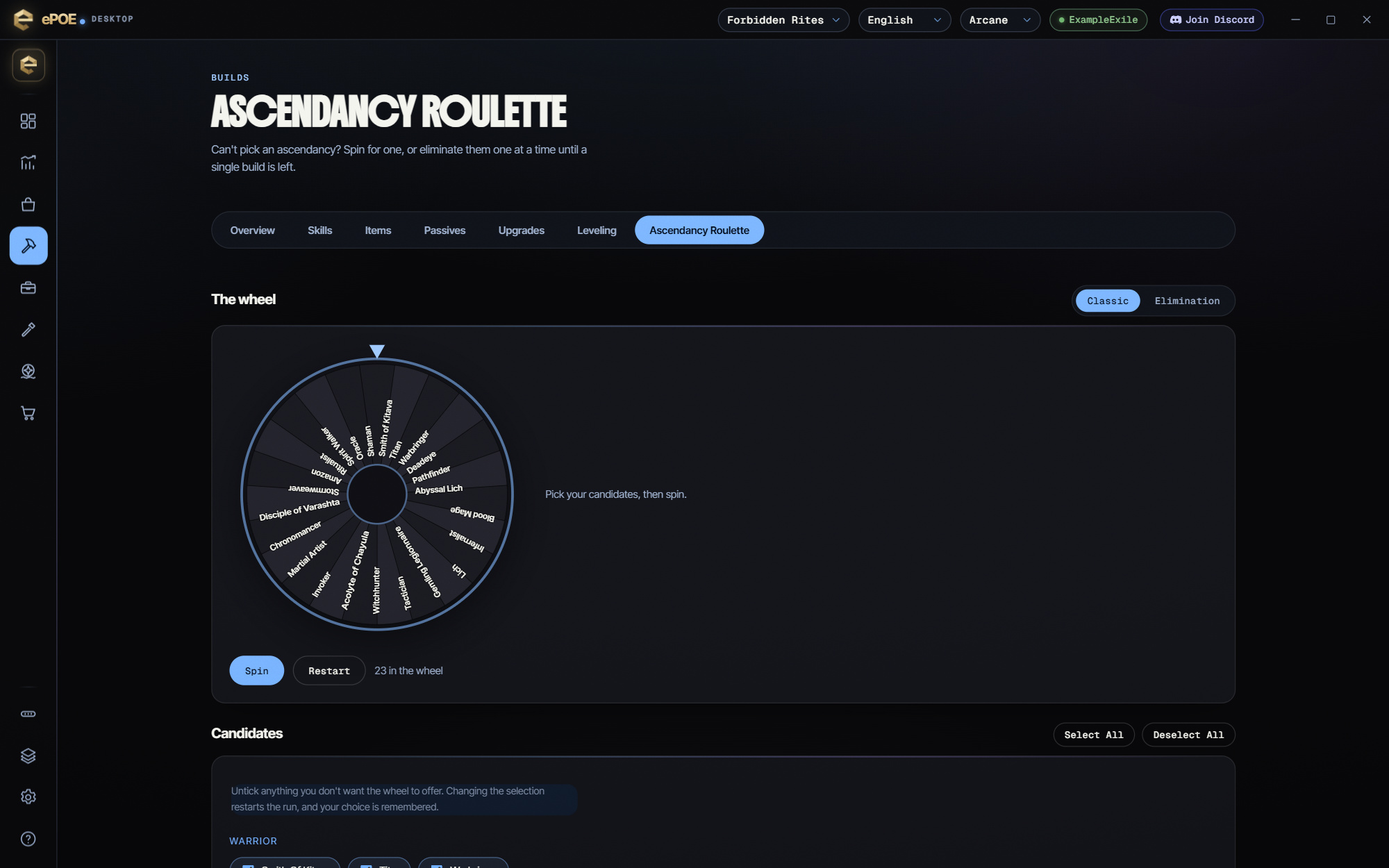
The feature in practice
Open Build → Ascendancy Roulette. Over the game it runs as a tool window, launched from the Feature Bar (it is there by default) or from a hotkey. The Ascendancy Roulette hotkey is unbound by default, so assign one under Overlays → Hotkeys.
The wheel uses the ascendancies included in the installed app’s candidate list. It picks an ascendancy and nothing else. It doesn't choose a skill, a build or a league for you.
Choosing the candidates
The Candidates section lists every ascendancy grouped by base class, each with a tick box. Untick anything you don't want offered, such as the class you just finished or the one you'll never enjoy. Select all and Deselect all do what they say.
- Changing the selection restarts the run.
- Your selection is remembered for next time.
- If nothing is ticked, the wheel is empty and Spin is disabled.
Try it in your next session
Start with the first action in the walkthrough, check the values and state the app shows, then continue with the settings that suit your character or workflow. Your own configured hotkeys and selected league take priority over an example in a screenshot.
Download ePOE · Read the current changelog · Browse the guides


