 ePOE feature guide1 min read
Theme — getting the old look back in ePOE: A Practical Guide
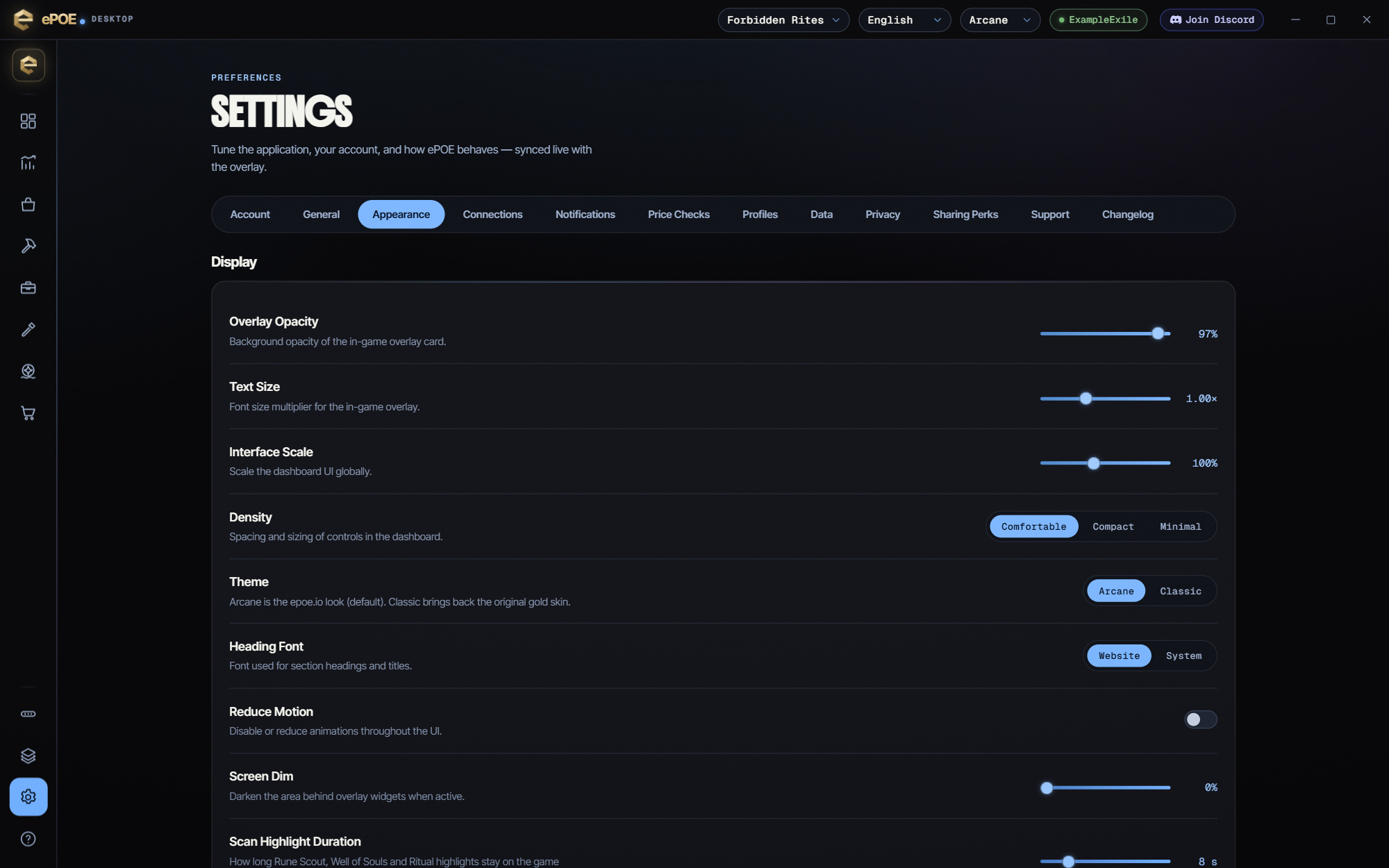
The desktop app and in-game windows share the Arcane theme — the same blue-on-ink look as epoe.io. The original gold skin is still there as Classic, and switching is one click; nothing else about your settings changes.


The desktop app and in-game windows share the Arcane theme — the same blue-on-ink look as epoe.io. The original gold skin is still there as Classic, and switching is one click; nothing else about your settings changes.
Where to start
Open Settings in ePOE Desktop. If your layout differs, use Help to search for Theme — getting the old look back.
- In the title bar, open the Theme menu (right after the language menu) and pick Classic.
- Or go to Settings → Appearance → Theme and choose Classic. The whole app, including the in-game tool windows, reskins instantly.
- Your choice is saved and, while you are signed in, follows your account to your other machines through cloud sync.
- To go back to the new look, pick Arcane in the same menu. Reset to defaults on the Appearance page also restores Arcane.
Try it in your next session
Start with the first action in the walkthrough, check the values and state the app shows, then continue with the settings that suit your character or workflow. Your own configured hotkeys and selected league take priority over an example in a screenshot.
Download ePOE · Read the current changelog · Browse the guides