 ePOE feature guide2 min read
Trade Link Builder in ePOE: A Practical Guide
Builds reusable official trade-search links and saves them as presets.


Builds reusable official trade-search links and saves them as presets.
Save, reopen, and reuse official trade searches without rebuilding the same filters.
Where to start
Open Market → Trade Link Builder in ePOE Desktop. If your layout differs, use Help to search for Trade Link Builder.
If you prefer a keyboard shortcut, check this feature’s current binding under Overlays → Hotkeys. Bindings can be changed, so use the one shown in your app.
- Open Market → Trade Link Builder, or press the hotkey for a window over the game.
- Set the filters you want the saved search to carry.
- Save it as a preset so it's one click next time.
- Open the link in the browser to finish with the trade site's own filters.
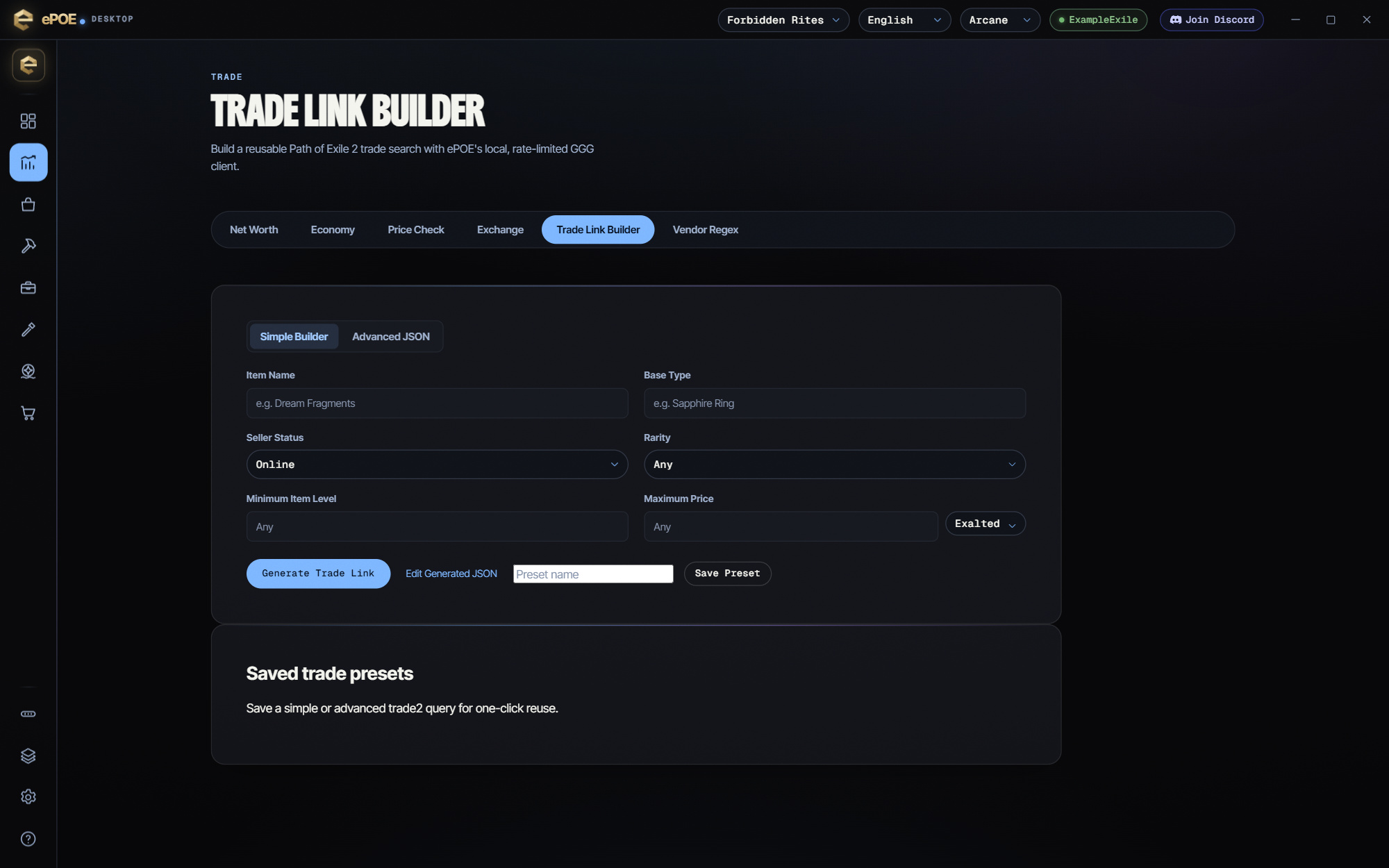
Presets
A preset is a saved query, so a search you run every day is one click.
- Build the search in either mode.
- Optionally type a Preset name. If you leave it empty, the item name or base type is used.
- Press Save preset.
Saved trade presets lists each one with its league, type and date. Load puts its query back into the builder (in advanced mode), ready to generate. Delete removes it.
Presets are stored on this PC, not in your account. Their names also appear in the in-game Favorites popover. Picking one there opens the builder with that preset already loaded.
Simple builder
The default mode is a short form:
- Item name and Base type — you need at least one. Use the name for uniques and the base type for everything else (a `Sapphire Ring`, a `Waystone`).
- Seller status — Online or Any. Online is almost always what you want; offline sellers rarely reply.
- Rarity — Any, Normal, Magic, Rare or Unique.
- Minimum item level — for crafting bases, where item level decides which tiers can roll.
- Maximum price — with a currency picker (Exalted, Divine or Chaos) so bargains lead.
Press Generate trade link. When it works you see Trade link ready, how many listings currently match, and the URL. Copy puts it on your clipboard to share. Open trade site opens it in your browser.
Try it in your next session
Start with the first action in the walkthrough, check the values and state the app shows, then continue with the settings that suit your character or workflow. Your own configured hotkeys and selected league take priority over an example in a screenshot.
Download ePOE · Read the current changelog · Browse the guides


