 ePOE feature guide3 min read
Vendor, waystone, tablet & relic regex in ePOE: A Practical Guide
Builds a search string for a vendor window or a waystone stash, and pastes it safely into the game's search box.


Builds a search string for a vendor window or a waystone stash, and pastes it safely into the game's search box.
Search strings for gear, waystones and tablets, plus a Campaign mode that builds a vendor search from your act, slot, defence type and level window.
Where to start
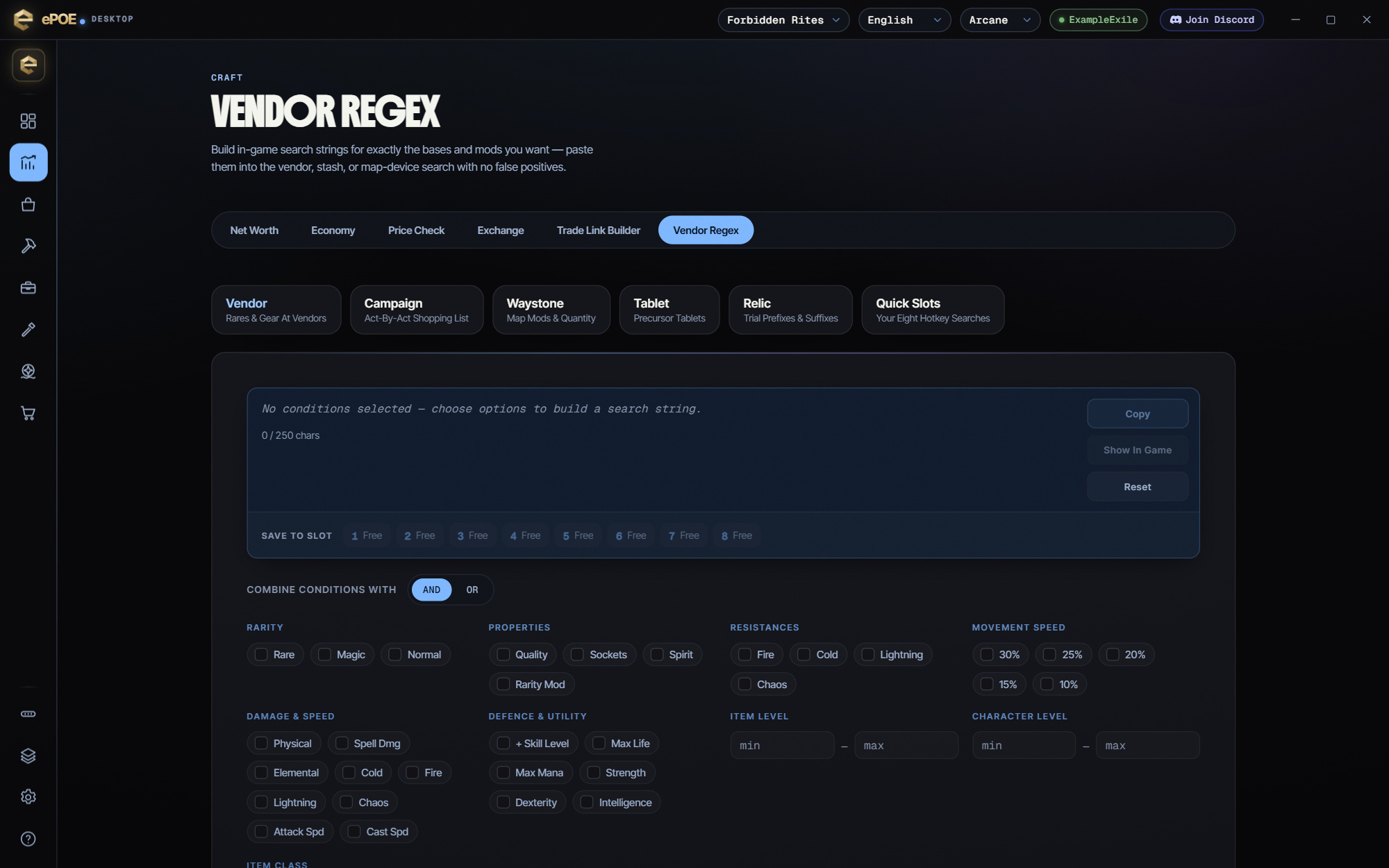
Open Market → Vendor Regex in ePOE Desktop. If your layout differs, use Help to search for Vendor, waystone, tablet & relic regex.
If you prefer a keyboard shortcut, check this feature’s current binding under Overlays → Hotkeys. Bindings can be changed, so use the one shown in your app.
- Pick the mode: Vendor, Waystone, Tablet or Relic.
- Start with what you want to EXCLUDE — one veto usually halves the pile.
- Add the one thing you require, and watch the character count stay under 250.
- Click into the game, then paste. ePOE sends Ctrl+F, Ctrl+A, Ctrl+V and never presses Enter.
- Press Save to slot to keep the string in one of the eight quick slots, or load a Preset pack into them, so the Regex Panel and the slot hotkeys can paste it in game.
Pasting into the game
The paste does exactly three things: `Ctrl+F` to focus the search box, `Ctrl+A` to select what is there, `Ctrl+V` to replace it.
It deliberately never presses Enter. That is not an oversight. A search box that submits on its own is one step from automation, and the line ePOE holds is that the tool prepares input and you commit it.
If a paste seems not to land, the usual cause is that the game did not have focus, or a stash or vendor window was not open. Click into the game first.
The feature in practice
PoE2's search boxes accept a regular expression. That turns "scan forty waystones for the three good ones" into "paste a string and look at what lights up". ePOE's regex tools build those strings for you.
Open Market → Vendor Regex in the app. Over the game, the Vendor & Relic Regex button on the Feature Bar (there by default) opens the same tool as a window. Its hotkey, Vendor And Relic Regex, is unbound by default, so assign one under Overlays → Hotkeys if you want it.
The 250-character limit
The game's search box takes 250 characters. Past that, the page says "Split into N searches — paste them one after another" and gives you each part. Two consequences:
- Be specific, not exhaustive. A regex matching thirty mods is worse than one matching the five you actually care about, because it matches almost everything.
- Filter for the decision you are making. "Which of these do I run?" and "which of these do I sell?" are different strings. Keep both in quick slots rather than trying to build one that does both.
Try it in your next session
Start with the first action in the walkthrough, check the values and state the app shows, then continue with the settings that suit your character or workflow. Your own configured hotkeys and selected league take priority over an example in a screenshot.
Download ePOE · Read the current changelog · Browse the guides


